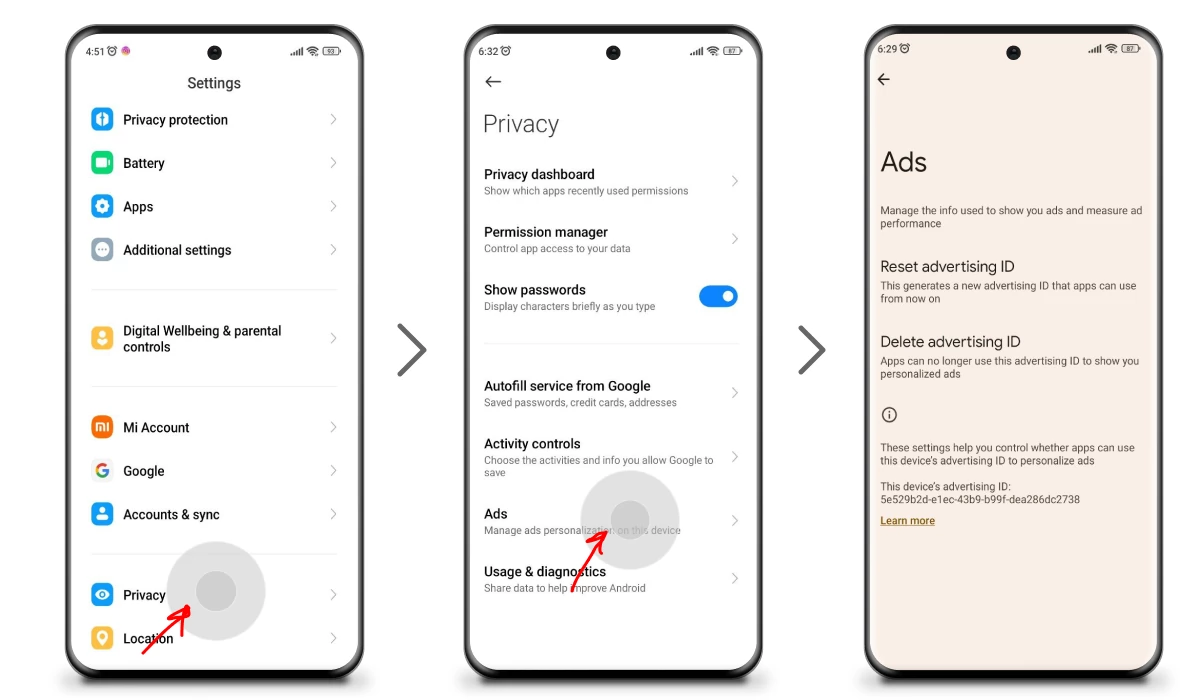
Here’s the first, easiest trick: reset your Advertising ID. Think of it as giving your phone a tiny amnesia pill. It forgets what it knew about you, and the ads become random and boring again.
Go to Settings > Google > Ads. You’ll see an option that says “Reset advertising ID.” Tap it. Boom. A fresh start. The ads will still show up, but they’ll be about generic stuff—like toasters or spoons. Totally harmless.

