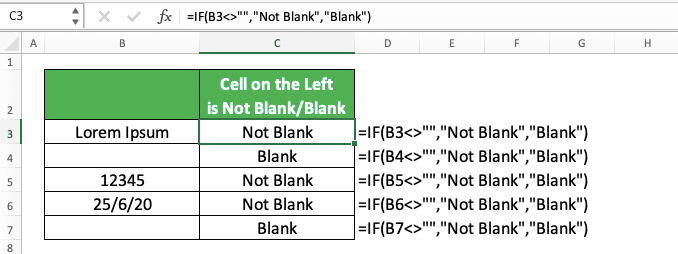
Because Excel is a toy. Every formula is a lever. “If Not Blank” is the lever that says, “Stop, you fool—don’t break the sum.” It saves you from manual clicking.
Imagine a thousand rows. You need to add a tax column only if a price exists. One formula, drag it down, done. Your coffee stays hot. Your dignity intact.
It’s the difference between being a data janitor and a data dj. The DJ remixes. The janitor sweeps. You want to be the DJ.
The Parting Weirdness
There’s a hidden function called DCOUNTA that counts non-blanks in a database. But nobody uses it. It’s the cousin no one invites to Thanksgiving.
Also, if you write =IF(A1<>“”, A1, “N/A”), you’re spitting on blank cells. “N/A” becomes a stamp. Later, you can filter by that stamp. It’s a paper trail of shame.
So go play. Open a spreadsheet. Type random stuff. Leave blanks. Slap an If Not Blank on it. Watch the magic. Excel will thank you. Your boss will thank you. And the empty cells? They’ll finally get some attention.

